
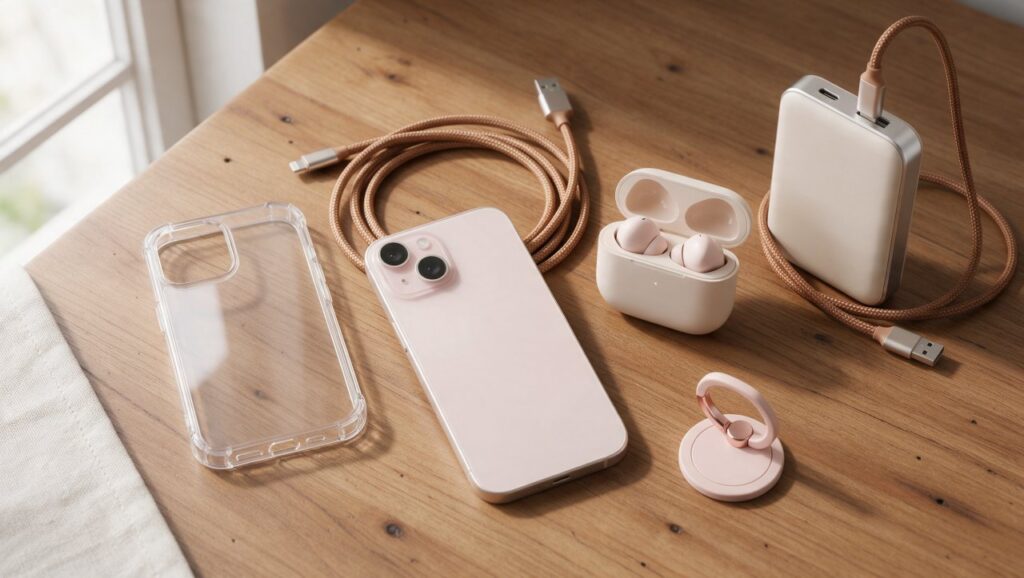
Your phone slips off your knee at a bus stop, or the battery icon turns red right as you are about to pay for coffee. Keeping your phone protected and charged does not have to cost a fortune, as long as you know what to look for.
Shopping for accessories online can feel overwhelming because there are thousands of options, especially on marketplaces like Shopee. But that also means plenty of competition, which tends to keep prices low. This guide covers the must-have phone accessories that are actually worth buying, how to spot the decent ones, and how to avoid wasting money on junk.
Screen Protectors: The First Line of Defense
A screen protector is the cheapest insurance you will ever buy for your phone. You can find them for a few dollars, and they save you from a repair bill that could cost more than a nice dinner out. The main choice is between tempered glass and film. For most people, tempered glass is the way to go. It feels more like the actual screen, and it takes the hit when you drop your phone.
When you are browsing on Shopee, look at the thickness and the edge type. A standard tempered glass protector is usually around 0.3mm thick. That is enough to protect without making the screen feel bulky. Pay attention to whether it says “full coverage” or “case friendly.” Full coverage means the glass goes right to the edges, which looks better but can peel up if you use a tight case. Case friendly versions leave a tiny gap around the edge so your phone case does not push against the glass.
Common Mistakes to Avoid
- Buying the cheapest unbranded glass: While you do not need to spend twenty dollars, the absolute cheapest ones can have poor adhesive. They might lift at the corners in a week.
- Ignoring the installation kit: Look for listings that include an alignment frame, wet wipes, and dust stickers. The frame makes installation almost foolproof.
- Forgetting the camera lens: If your phone has a protruding camera bump, a small lens protector is a good idea. It prevents scratches on the glass covering your camera.
Phone Cases: Grip, Style, and Shock Absorption
A phone case is where you can show off your personality, but it also has a serious job to do. The material matters more than the pattern. Silicone and TPU (thermoplastic polyurethane) are popular because they are flexible and absorb shock well. Hard plastic cases look sleek but can crack if you drop them on concrete. A hybrid case with a hard back and a soft bumper gives you the best of both worlds.
Think about how you use your phone. If you watch a lot of videos, a case with a built-in kickstand is useful. If you tend to drop your phone a lot, look for cases with reinforced corners and extra cushioning. Terms like “military grade” or “shockproof” are marketing claims that sellers rarely back up with test results, so judge the case by its photos and reviews. For a slimmer profile, a simple matte TPU case works fine and prevents fingerprints.
One of the best things about buying cases online is the variety. You can find clear cases to show off your phone’s color, or textured cases that improve grip. If you plan to use a magnetic car mount, check that the case is made for it. Metal plates inside a case can block wireless charging.
Charging Cables: Don’t Get Stranded
We have all bought a cable that stopped working after a month. It is frustrating, and it is usually because the cable was cheaply made. The weak point is almost always the connector. When you search for cables, look for words like “reinforced,” “braided,” or “nylon.” A braided nylon cable handles bending and twisting much better than the standard rubber ones.
Length is another big factor. A three-foot cable is good for a desk or a power bank. A six-foot cable is great for the couch or your bed, letting you use the phone comfortably while it charges. If you have a modern phone, you probably need a USB-C to USB-C cable or a USB-A to USB-C cable. Check your charger port before you buy.
What to Check Before You Buy
- Connector type: Is it USB-C, Lightning, or Micro USB? Getting this wrong makes the cable useless.
- Data transfer speed: If you move files between your phone and laptop, make sure the cable supports data transfer, not just charging.
- Wattage support: If you use a fast charger, the cable needs to support the same wattage. A low-quality cable will slow down your charging speed even with a good wall plug.
Power Banks: Keeping the Battery Alive
A power bank is a lifesaver when you are traveling, at a festival, or just having a long day out. The most important spec is the capacity, measured in milliamp hours (mAh). A 10,000mAh power bank can usually charge a standard smartphone roughly one and a half to two times, since some energy is lost in conversion. If you have a large phone or a tablet, you might want a 20,000mAh model, but keep in mind it will be heavier.
Safety matters more here than anywhere else in this list. Some very cheap, unbranded power banks print a capacity far higher than what is inside, and poorly made batteries can overheat. Buy from a store with strong reviews, look for safety or certification marks that apply in your country, and stop using any power bank that swells, gets very hot, or smells odd. Never charge it under a pillow.
Look for a power bank with fast charging support. Many budget options now support Quick Charge or USB Power Delivery. This means your phone goes from zero to fifty percent much faster than with a standard output. Also, check how many ports it has. Having two USB ports or a USB-C port lets you charge two devices at once, which is handy if you carry earbuds and a phone.
One thing people often overlook is the input speed. A power bank with a large capacity but slow input takes forever to recharge. Look for one that supports fast input, usually via USB-C, so you can fill it up overnight and be ready to go in the morning.
Wireless Chargers: Cutting the Cord
Wireless charging is not the fastest way to power up, but it is incredibly convenient. You just set your phone down on a pad and it starts charging. This is perfect for a nightstand or an office desk. When you buy one, check the wattage. Check what your phone supports. Many modern phones charge wirelessly at around 15 watts or less, while a 5-watt charger is very slow.
Placement matters more than you think. Some cheap wireless chargers have a small “sweet spot.” If you place your phone slightly off center, it stops charging or charges intermittently. Look for chargers that have multiple coils or a wide charging area. This makes it much easier to just drop the phone down without thinking.
Also, consider the design. A stand-style wireless charger lets you see notifications while the phone is sitting on your desk. A flat pad is more discreet. If you use a thick phone case, remove it before charging or check that the charger works through the case thickness. Metal cases or cases with metal rings on the back will block wireless charging entirely.
Phone Grips and Stands: Comfort and Stability
Phones are getting bigger, and holding them up for long periods can strain your fingers. A phone grip that sticks to the back of your case solves this. The most common type is a ring holder. It gives you a secure way to hold the phone, and it doubles as a stand for watching videos. Some are even magnetic, which helps if you use a magnetic car mount.
If you do not want something stuck to your phone, a separate folding stand is a great option. These are small, lightweight, and perfect for placing your phone on a table or airplane tray. Look for stands with rubber grips on the bottom so they do not slide around. Aluminum stands feel more premium and last longer than plastic ones.
Choosing the Right Grip
- Ring holder: Best for security and one-handed use.
- PopSocket style: Great for grip and taking selfies, but can be bulky in a pocket.
- Magnetic mount: Best if you use your phone for GPS in the car.
- Folding stand: Best for desk use and travel.
Bluetooth Earbuds: Audio on a Budget
You do not need to spend a fortune on premium earbuds to get decent sound. The market for budget wireless earbuds has exploded, and you can find pairs that sound surprisingly good for the price. When shopping on Shopee, look for earbuds with Bluetooth 5.0 or higher. This gives you a stable connection and better battery life.
Latency is a big deal if you watch videos or play games. Low latency mode keeps the audio in sync with the screen. If a listing mentions “low latency” or “gaming mode,” that is a good sign. Battery life is another factor. Look for earbuds that offer at least four to five hours on a single charge, with a carrying case that provides extra charges. The case itself should use USB-C for charging.
Fit is personal. Some people prefer the style that sits in the ear canal, while others like the ones that rest on the ear. If you plan to exercise, look for earbuds with ear hooks or wingtips that keep them secure. Read the reviews to see if people mention them falling out easily.
Cables and Organizers: Taming the Mess
Once you have a few cables, a power bank, and earbuds, your bag can turn into a tangled mess. A simple cable organizer or a small tech pouch is a cheap accessory that makes a big difference. You can find cases designed specifically for cables, with elastic loops and mesh pockets to keep everything separated.
Velcro cable ties are another cheap lifesaver. You can wrap them around your charging cable and power bank cable to keep them neat. They cost almost nothing and prevent the frustration of pulling out a knotted ball of wires when you need to charge your phone. If you travel often, a dedicated pouch for your power bank and cables means you always know where your gear is.
Do not forget about the wall plug. A multi-port USB wall charger is a great investment. Instead of carrying three different plugs, you can use one plug that charges your phone, earbuds, and power bank simultaneously. Look for one with at least two ports, and if you have a modern phone, make sure at least one port is USB-C with fast charging support.
How to Shop Smart on Shopee for Accessories
Finding the right accessory is only half the battle. Finding it for a good price is the other half. Shopee is built for deal hunting, but you need to know how to use the tools available. The search filters are your best friend. You can sort by “Top Sales” to see what other buyers are actually purchasing, or sort by “Price” to find the cheapest options. However, do not just buy the absolute cheapest item. Look for a balance between price and reviews.
Vouchers and coins can significantly lower the final price. Check the seller’s page for store-specific vouchers, and look for platform-wide vouchers that apply to electronics or accessories. Coins can often be used to offset a small percentage of the price. These features change frequently, so always check the current offers in the app before you check out. Flash sales can also pop up with deep discounts on popular items like chargers and earbuds.
Quick Checklist Before You Check Out
- Read recent reviews: Look for photos from other buyers. Real photos show you the actual color and quality, not the marketing images.
- Check shipping costs: Some items look cheap but have high shipping fees. Compare the total price.
- Verify compatibility: Double-check your phone model against the case or screen protector description.
- Look for “Shopee Mall” or preferred sellers: These stores often have more reliable products and easier return policies.
- Use vouchers: Always tap the voucher section to apply any available discount codes before paying.
- Check the return window: Know how long you have to report a problem if the item arrives broken or is not what you ordered.
Accessories are small purchases, so it is tempting to skip the research. A few minutes of checking compatibility, reviews, and safety details costs nothing, and it keeps the cheap stuff from costing you more later.