
You rip open a package from Shopee and immediately realize something is off. Maybe the shirt looks nothing like the photos, the color is way darker than it appeared on your screen, or the seller sent the wrong size. It happens to everyone eventually, even careful shoppers. The return process is fairly straightforward once you know where to look.
Many buyers get nervous because they expect an argument with the seller or expensive return shipping. The system is built to give buyers a way to resolve problems, and with the right evidence you can often get your money back without too much hassle. This guide walks through the typical process from opening the app to checking your refund status. Return windows, button names, shipping rules, and who pays for return shipping differ by country, seller, and product type, so treat the details below as a general map and follow what your own app shows.
Understanding Shopee’s Return Window and Basic Rules
Before you start tapping buttons, you need to know how much time you have. Shopee generally gives you a limited window after the item is delivered to request a return or refund. The length depends on your country and the type of product, and it is often only a few days, so check the exact deadline in your order details. Do not wait around hoping the problem will fix itself. As soon as you notice the issue, open the app and check the order status.
In many regions, Shopee holds your payment until you confirm that the order arrived or until a set number of days passes. If you never tap “Order Received,” the system will eventually confirm it automatically. Once the order is marked completed, your options often narrow and you may need to go through customer service instead.
A common mistake is tapping “Order Received” out of habit as soon as the package arrives, before opening it. Always inspect the item first. If the package looks damaged on the outside, take a photo of it before you open it. Confirming receipt too early can weaken your position in a dispute, although you may still be able to request help through customer service if you have strong evidence.
Keep the original packaging and the shipping label. You will likely need to put the item back in the bag or box it came in. If you threw the plastic wrap away immediately, that is usually fine, but having the original pouch makes the return drop-off easier.
Step 1: Locate the Return Button in Your Order List
The first step is finding the right screen. Open your Shopee app and go to the “Me” tab, usually at the bottom right. From there, look for “My Purchases” or the order status sections such as “To Receive” or “Completed.” You want to find the specific order that has the problem. Tap on that order to open the order details page.
On the details page, you will see the product information, the price, and the shipping information. Look for a button that says something like “Return/Refund” or “Request Return.” It is usually near the bottom of the screen. The exact wording and location change depending on the app version and country.
If you are using the Shopee website on a computer, the process is similar: log in, open your purchases, find the order, and look for the same action button.
If you cannot find the button, check the order status. If the order is still in transit, you usually cannot file a return yet and have to wait until the tracking shows it as delivered. If the order is already completed and you missed the deadline, contact customer service directly. They may or may not be able to help, but it is worth asking.
Step 2: Choosing the Right Reason for the Return
Once you tap the return button, Shopee will ask you to select a reason. This is not just a formality: the category can affect whether the seller or Shopee reviews the case and who pays for return shipping. Read the list carefully before tapping one.
The most common reasons include “Wrong item sent,” “Item damaged in transit,” “Item does not match description,” and “Missing items.” If the seller sent you a size Large instead of a Medium, that is “Wrong item sent.” If the package arrived with a cracked screen, that is “Item damaged.” If the fabric feels cheap and looks different from the photos, that is “Item does not match description.”
Be honest here. If you simply changed your mind, that is a different category, often called “Change of mind.” Some sellers and some countries allow these returns, and in that case you will often have to pay the return shipping yourself. If the seller made a mistake or the item is broken, the seller or Shopee usually covers the shipping, but check the terms shown in the app.
For “Item does not match description,” you need to be very specific. Do not just say “It looks different.” Explain that the listing showed a cotton blend but the tag says 100% polyester, or that the shoes are clearly a different shade of red than the photos. The more objective your complaint is, the harder it is for the seller to dispute it.
Step 3: Providing Proof That Actually Works
This is the step where most buyers fail. You cannot just type “this is ugly” and expect a refund. You need to upload evidence that supports the specific reason you selected. The quality of your photos and videos usually decides whether you win the dispute quickly or get stuck in a back and forth with the seller.
For visual issues like a wrong color or a different design, take photos in natural light. Lay the item flat on a clean surface. If you are trying to show that a shirt is smaller than described, put a measuring tape or a ruler next to it in the photo. Show the length and the width. If the listing gave measurements, take a screenshot of the listing and include it as a second photo.
For electronics or items that do not work, a video is your best friend. Film yourself unboxing the item if you suspect it might be fragile. If the item will not turn on, film yourself pressing the power button while showing the charging cable connected. This proves you are not just making it up.
Always screenshot your chat with the seller if they admitted a mistake. If they said “sorry, we ran out of stock so we sent the blue one,” that is strong evidence. Upload that screenshot as evidence. It makes the review team’s job very easy.
You can usually upload several files, so do not rely on a single blurry photo. Show the label, the packaging, the item, and the defect.
Step 4: The Negotiation Phase with the Seller
After you submit the request, the seller is notified and has a set amount of time to respond. Some sellers approve the return immediately, and others will try to negotiate.
A common tactic is the seller offering a partial refund. They might say, “Keep the item, we will refund you 50%.” This can be a good deal if the item is still usable and you do not want to go to the post office. For example, if you bought a phone case and it has a small scratch on the corner, a partial refund saves you the hassle of shipping it back. But if the item is unusable, you can decline a partial refund and ask for the return and a full refund instead.
Some sellers will ask you to cancel the return request and promise to send a replacement. Be very careful here. If you cancel the request, you may lose the protection of the process, and if the replacement never comes, you may have little recourse. Do not cancel the request until the issue is resolved.
Stay polite but firm. Keep the conversation inside the app, where it can be reviewed later, and stick to the facts: “The item is damaged, I have uploaded photos, and I would like a full refund.”
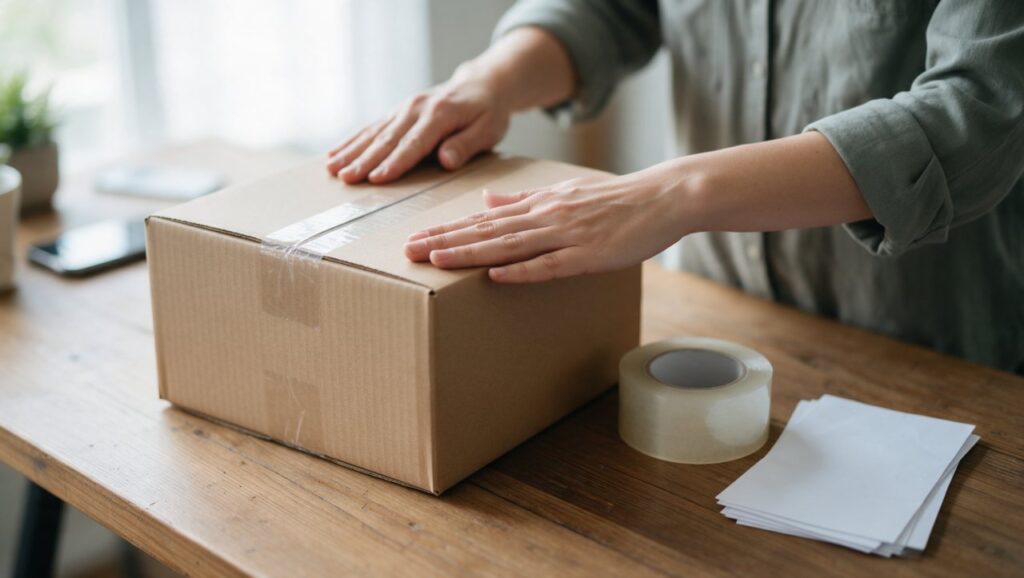
Step 5: Preparing the Package for Drop-off
Once the seller approves the return or Shopee steps in and approves it for you, you will get instructions on how to send the item back. You usually have a limited time to ship it, often a few days. Do not sit on this, because if you miss the deadline the return request can expire and the refund may be lost.
Pack the item securely. Use the same box or pouch it came in if possible. If the original packaging is torn, use a new plastic bag or a small box. You do not need to make it pretty, but you need to make sure it does not get damaged further during transit. If the item is fragile, wrap it in bubble wrap or newspaper.
You will receive a return shipping label, a code, or a pickup arrangement, depending on the courier. In some cases you do not need to print anything and just show a code on your phone at a drop-off point.
If a drop-off point is required, it is usually a courier office or partner store, and the app can show nearby locations. Once you hand over the package, ask for a receipt or confirmation number and take a photo of it. This is your proof that you sent the item back.
Step 6: Tracking the Return and Getting Your Money Back
After you drop off the package, the waiting game begins again. You can track the return shipment in the app. The status changes as the parcel moves, and the seller then has a short window to inspect the item and confirm they received it.
Once the seller confirms receipt, or the system confirms it automatically, the refund is triggered. The money usually goes back to the original payment method or to your wallet. Card refunds can take several business days to show up on your statement, while wallet refunds are often faster, but timing varies.
If the seller receives the item and claims it is damaged or not the same item they sent, the dispute goes to Shopee for review. This is why your drop-off receipt and your initial evidence are important. If you have photos of the item before you sent it back, you can prove the condition.
Check the refund status in your order details. If it says “Refunded” but you do not see the money, wait a few days, since bank processing times are outside Shopee’s control. If more than a week has passed, contact your bank or customer service.
Common Mistakes That Get Returns Rejected
Most rejections are preventable. The number one reason a return is denied is a lack of evidence. If you claim the item is damaged but you only upload a photo of the outside of the box, the review team cannot see the problem. You must show the actual defect clearly.
The second mistake is waiting too long. Return windows are short, and a late claim is easy to reject. Open the app the same day you receive the item if something is wrong.
The third mistake is returning the wrong item. This sounds silly, but it happens when people buy multiple similar things from different sellers. If you are returning a black phone case, make sure it is the right brand and the right order. Sellers are quick to reject returns when they receive a different product than they sent. Double check the packaging before you seal it.
Another common issue is not checking the seller’s return policy before buying. Some sellers, especially for intimate apparel, swimwear, or custom-made items, have strict no-return policies. Rules for faulty or wrong items may still apply, but “change of mind” returns are often not allowed for these categories. Read the product description and return terms before you pay.
What to Do If the Seller Rejects Your Request
Do not give up if the seller clicks “Reject.” You can usually escalate the case to Shopee. Look for an option such as “Request Shopee Review” or “Dispute,” which sends the case to Shopee’s team to look at the evidence from both sides.
Before you escalate, make sure your evidence is uploaded correctly. Go back through your photos. Are they clear? Did you include the screenshot of the listing? If you have a video, make sure it is short and clear, since the reviewer needs to understand your problem quickly.
While waiting for the review, respond quickly to any messages from Shopee. They might ask for additional photos or a specific detail about the order. If you ignore their request, the case may be decided against you for lack of information.
If Shopee rules against you and you genuinely believe it was unfair, you still have one more option: contact customer service via the live chat. Explain the situation calmly. Sometimes an agent can look at the case again or suggest another option. It is not guaranteed, but it is worth trying.
Quick Checklist for a Smooth Return
Before you hit that return button, run through this list. It will save you time and frustration. If you can check off every box, your case will be much stronger.
- Order status is “Delivered” or “Completed” but within the return window. If it is still shipping, wait. If it is too old, you need customer service help.
- You have not tapped “Order Received” prematurely. If you did, check whether you can still file, and move fast.
- You selected the correct reason. Match your problem to the closest category. Wrong item, damaged, or not as described are the strongest reasons.
- You have clear photos or a video. Show the defect, the label, and the packaging. Use natural light and a steady hand.
- You saved the original packaging. You will need something to ship the item back in.
- You have not agreed to cancel the request outside the app. Never close the return until you have the money or the replacement in hand.
- You know the drop-off location. Check the app for the nearest courier partner before you approve the return, so you know you can get there in time.
Once you have all that, go ahead and file the claim. The process works best when you treat it like a business transaction, not a personal fight. State the facts, show the proof, and follow the steps.